Lecture notes for iPad
1 recording,
3 notes.
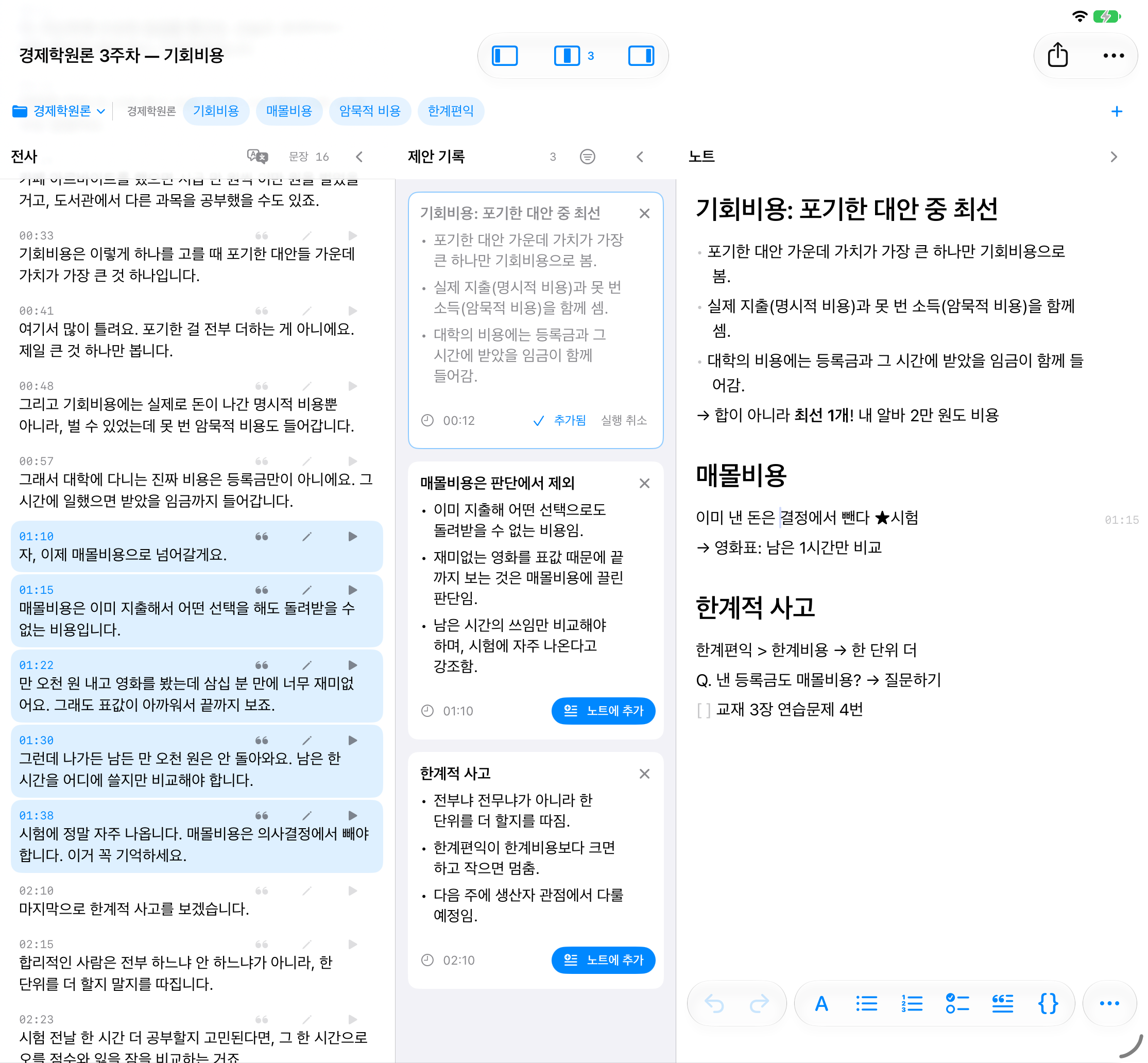
One recording keeps what the lecturer said, what AI noticed and what you wrote side by side on one timeline.
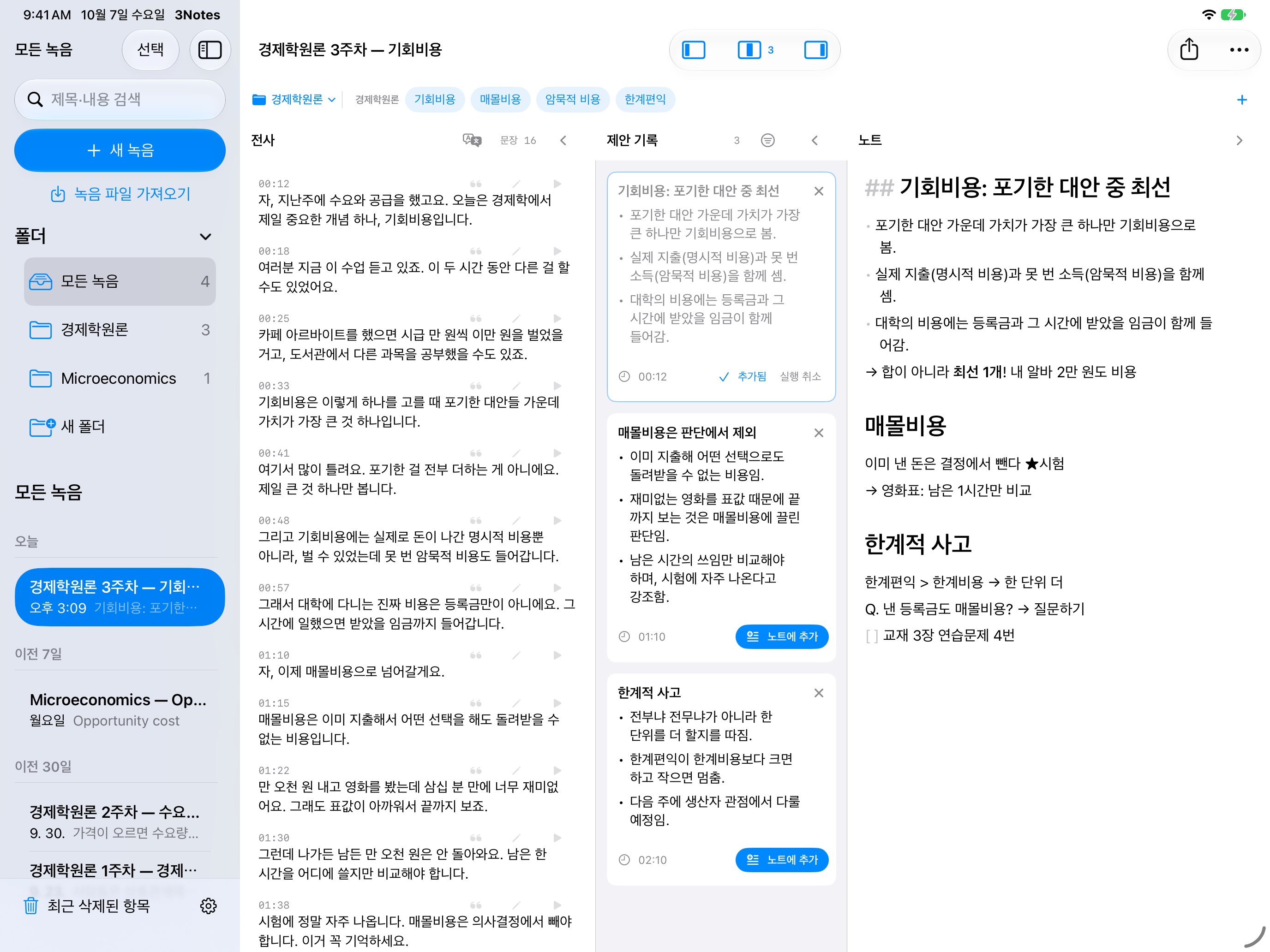
One recording. Three notes.
All three point to the same moment in the same recording. Start from any one of them and the other two follow.
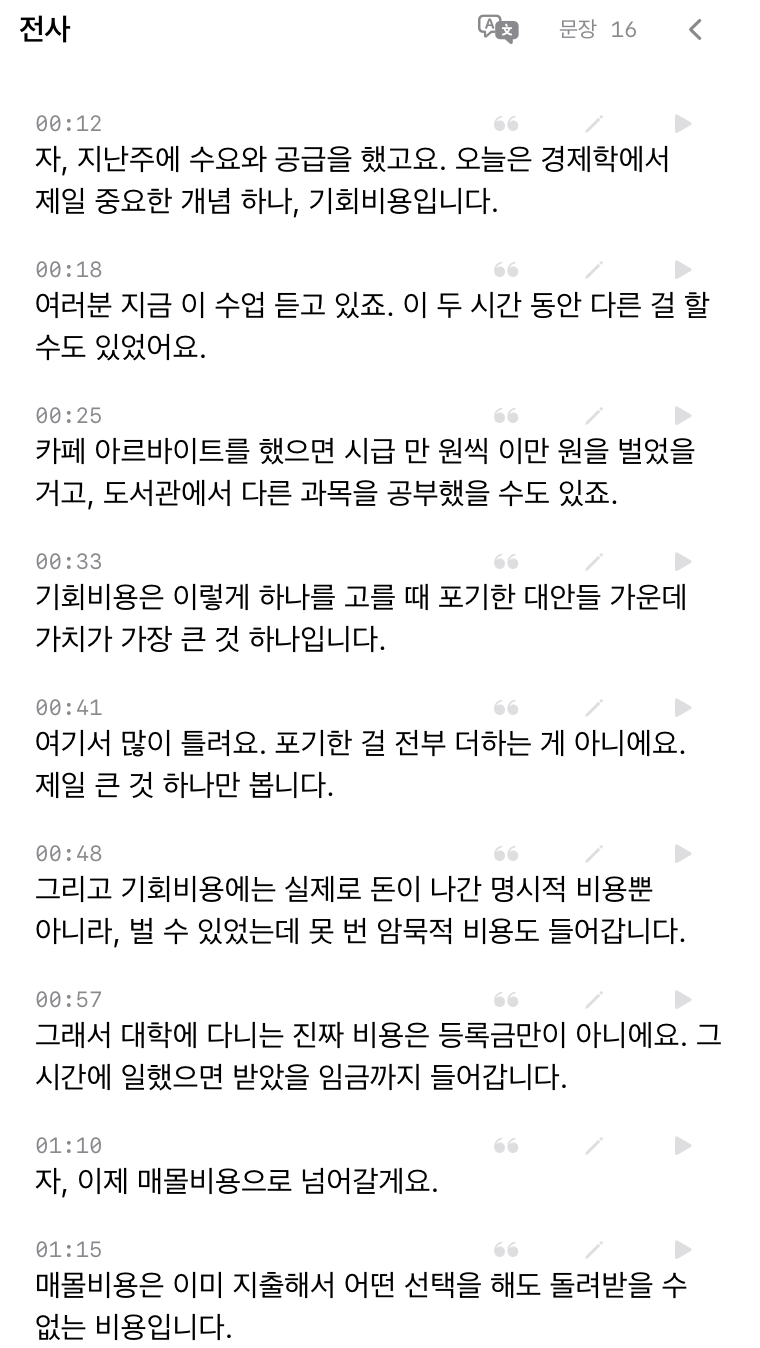
Transcript
Written down sentence by sentence as the lecture goes. Every sentence has a timestamp, so you can tap it and hear that part again.
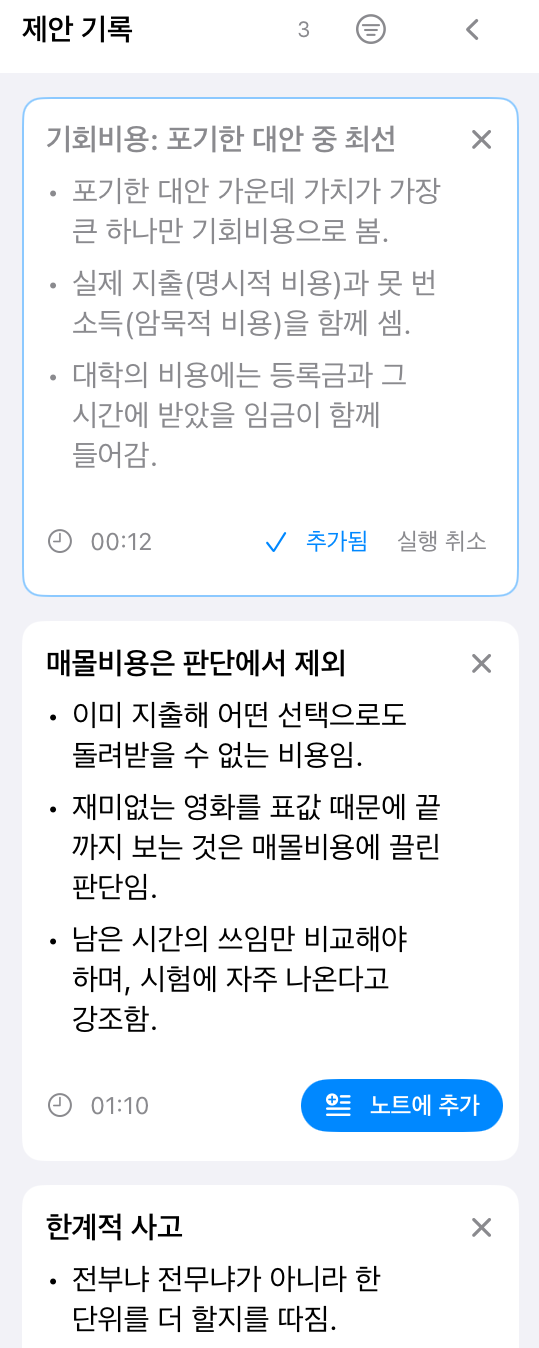
Suggestions
Cards that follow the lecture and point out what is easy to miss. Tap the ones you want and they go straight into your notes.
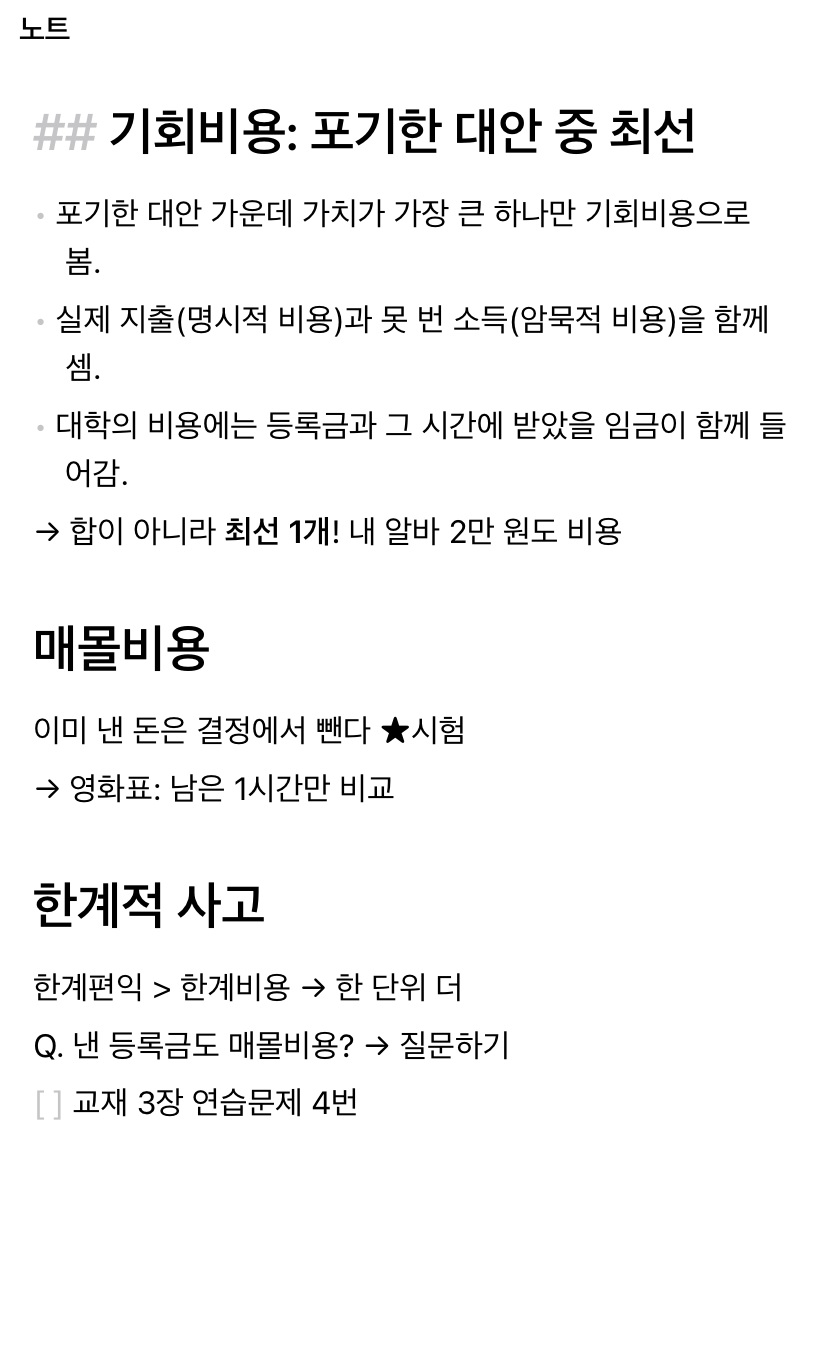
Notes
What you decided was important, kept with the moment you decided it. AI doesn’t write them for you.
From a line in your notes, back to that moment.
Put the cursor in a paragraph of your notes and the transcript you were hearing when you wrote it is selected — here, 01:10 to 01:45, where the lecturer explained sunk costs.
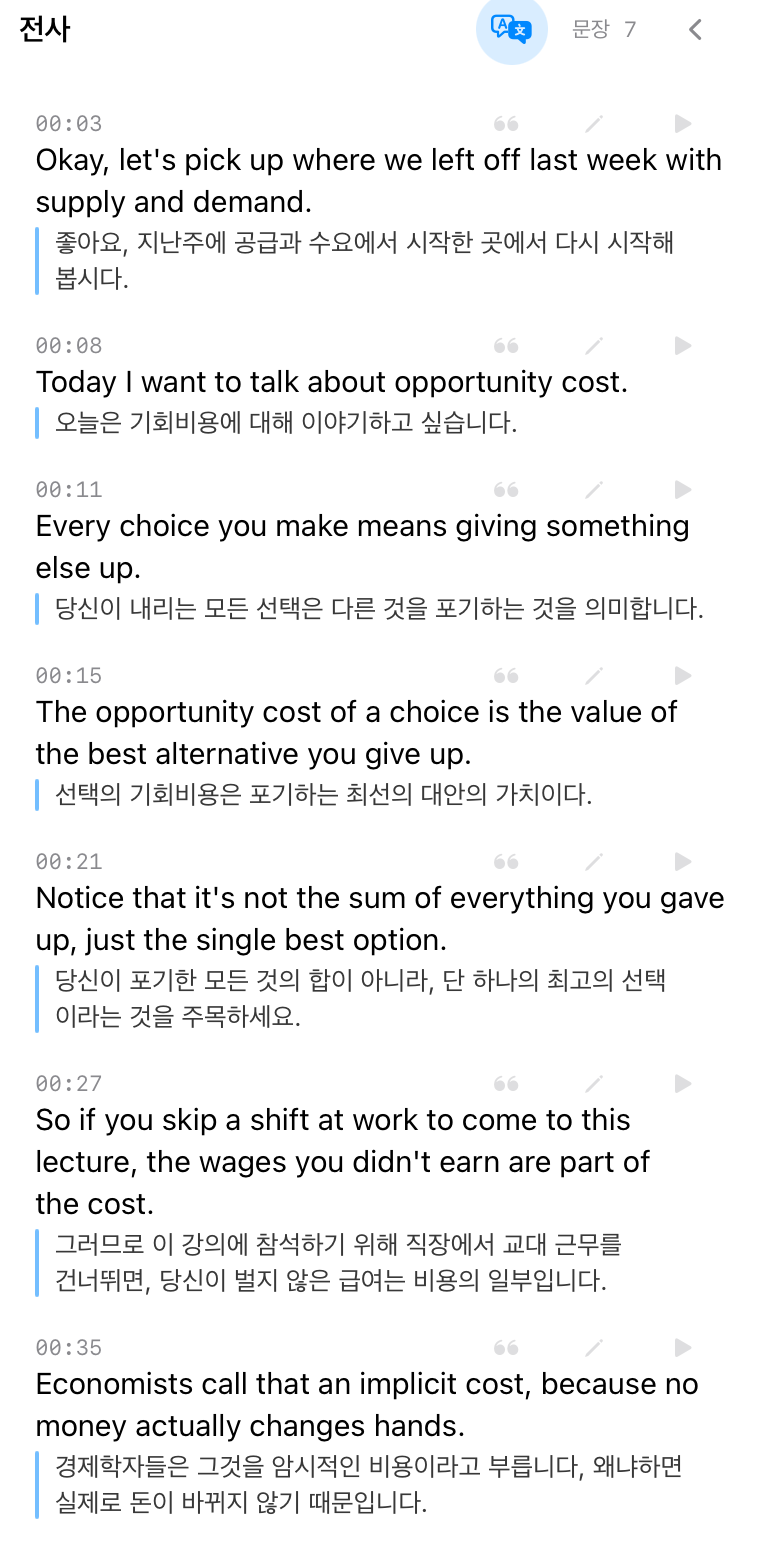
A translation under every sentence.
Record a lecture in English and a Korean translation appears right under each sentence — while you record and when you review.
Korean lectures can be translated into English the same way. Translation runs on the iPad.
Listen, write, look back.
Pay attention in class. Organize later, following the timestamps.
-
Start recording
Start recording on your iPad in the lecture hall and the transcript builds up live. You can also import a recording you made earlier.
-
Write only what matters
Leave the transcribing to the app and write down your own thoughts. The moment you write is kept with every line.
-
Look back by time
Jump from a line in your notes straight to the sentences and audio from that moment. Fill the gaps with suggestion cards.
Just what a lecture needs.
Only features that help you take notes.
Keywords
Add the terms used in your course, and words that were misheard as something similar are corrected to them.
Speaker separation
When several people talk, such as during Q&A, turn on speaker separation to see who said what.
Translation
English lectures get a Korean translation under each sentence, and Korean lectures get English.
Korean and English
Transcribes lectures in Korean and in English.
On your iPad by default.
No account, no server. Your recordings and notes are stored only on your iPad.
- On-device transcriptionSpeech recognition runs on the iPad by default. Your recordings don’t leave it.
- No sign-inThere is no sign-up, account or sync server. Not even the developer can see your notes.
- Cloud only when you choose itFor more accurate transcription or suggestions you can choose Gemini. It connects with your own API key, which is stored only in this device’s keychain.
- No trackingNo ads and no analytics. Privacy Policy
Questions
Which devices does it run on?
iPads with iPadOS 27 or later. On-device suggestion cards need an iPad that supports Apple Intelligence.
Is the app in English?
It transcribes lectures in Korean and in English, but the app’s interface is currently in Korean.
Does it work offline?
Yes. On-device speech recognition and notes work offline. You only need a connection to download a speech model the first time, or when you choose Gemini.
Do I need a Gemini API key?
No. Transcription, suggestions and notes all work on the device without one. Gemini is an option you can choose if you want it.
Am I allowed to record lectures?
Please ask the lecturer before recording. Recording rules differ between schools and courses.
1 recording, 3 notes.
Coming soon to the App Store.